Odoo ERP Customization Guide for Industry-Specific Business Needs


Every company has its own way of managing daily work. A manufacturing business handles production planning, raw materials, quality checks, and stock movement. A retail store manages billing, POS, customer records, and inventory. A service-based company depends on project tracking, timesheets, invoices, and client communication.
A standard ERP system may cover basic business needs, but it may not match every workflow in detail. Many companies need a system that follows their internal process, team roles, reporting style, and industry requirements. This is where Odoo ERP customization services help businesses create an ERP setup that fits their real work.
Odoo comes with many useful business modules, but each company needs a different setup. With proper customization, Odoo can manage sales, inventory, accounting, manufacturing, HR, CRM, and other key operations from one connected platform.
What Is Odoo ERP Customization?

Odoo ERP customization means changing standard Odoo features according to business needs. It can include custom modules, reports, dashboards, workflows, fields, forms, user roles, and approval rules. These changes help a company use Odoo in a way that matches its actual work process.
Many businesses choose Odoo ERP software customization because they want better control over their operations. For example, a company may need a custom sales approval process or a special inventory report. Odoo customization helps build these features inside the ERP system.
A business can also modify existing Odoo modules instead of building a new ERP system from scratch. This saves time and gives companies a flexible platform for long-term use.
Why Businesses Need Industry-Specific Odoo ERP Customization
Every industry has its own work style, customer needs, and reporting rules. A standard ERP setup may cover common tasks, but it may not fit every business process in detail. This is why Odoo industry-specific ERP customization helps companies build a system around their actual operations.
Manufacturing companies may need production planning, BOM, work orders, and quality checks. Retail businesses may need POS, billing, stock updates, and loyalty features. Healthcare companies may need appointment management, billing, reports, and staff coordination. With custom Odoo ERP solutions, businesses can manage industry-specific tasks in a more structured way.
Key Benefits of Odoo ERP Customization Services
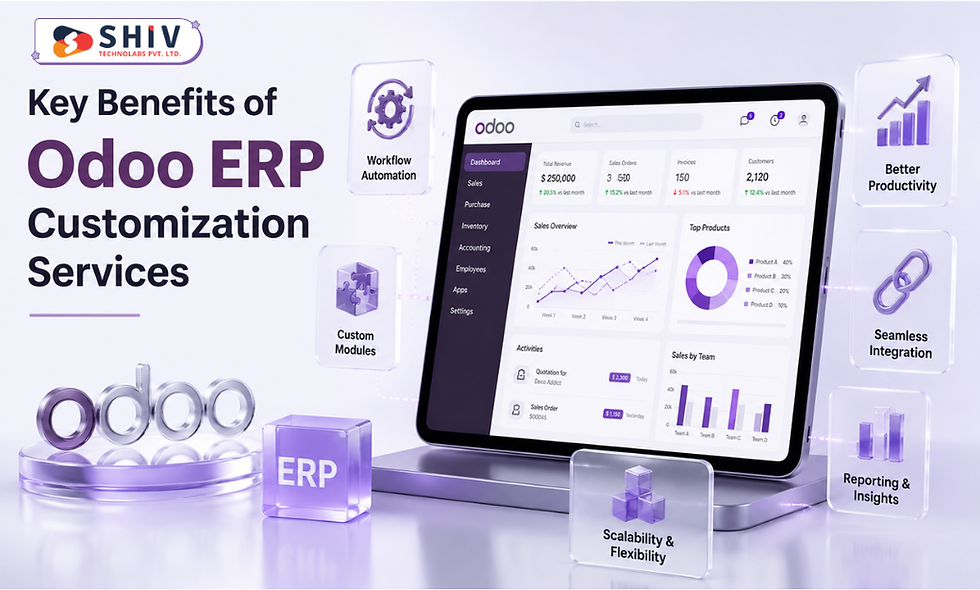
Odoo ERP customization services help businesses build an ERP system around their actual work needs. Companies can manage workflows, modules, reports, and data in a more structured way. This makes Odoo more useful for different teams and industries.
Better Fit for Business Workflows
A customized Odoo ERP system helps businesses add custom fields, approval steps, reports, and module changes based on daily work needs. When the system matches the workflow, employees can complete tasks faster and reduce their dependency on spreadsheets or separate tools.
Improved Data Management
Odoo ERP helps businesses manage sales, purchase, inventory, accounting, CRM, and project data in one place. With customization, managers can view important details like stock, invoices, customers, and project updates through custom dashboards and reports.
Better Reporting for Business Decisions
Custom Odoo reports can show sales trends, inventory movement, payment status, production updates, and team performance. These reports help business owners understand progress, find gaps, and plan better business decisions.
Easy Growth Support
Custom Odoo ERP solutions can support new users, departments, branches, features, and integrations as the business grows. This makes Odoo useful for startups, SMEs, and large companies with changing business needs.
Odoo ERP Customization Cost and Timeline
Pricing depends heavily on scope, and the market has settled into fairly predictable tiers based on complexity.
Customization Scope | Cost Range (USD) | Timeline |
Simple (fields, views, reports) | $500 - $2,500 | 1-2 weeks |
Moderate (workflow automation, 1-2 modules) | $5,000 - $20,000 | 4-8 weeks |
Complex (multi-module, integrations) | $25,000 - $75,000 | 8-16 weeks |
Enterprise-scale (industry-wide rollout) | $75,000 - $150,000+ | 16-24+ weeks |
Businesses working with an established Odoo partner usually get a fixed-cost proposal after the gap analysis, rather than an open-ended hourly estimate.
Related Guide: How Odoo ERP Implementation Streamlines Business Operations
Odoo ERP Customization Process
The Odoo ERP customization process helps businesses turn standard Odoo features into a system that matches their real operations. It includes requirement study, module planning, custom development, integration, testing, training, and support. A clear process helps teams build a useful ERP setup with fewer issues.
Business Requirement Study
The process starts with understanding current workflows, department needs, user roles, reports, and business goals. This step helps the team find what needs to change inside Odoo and which features can support daily operations.
Module Selection and Planning
After the requirement study, the company selects the right Odoo modules, such as CRM, sales, purchase, inventory, accounting, manufacturing, HR, project, or website. Planning also includes custom fields, reports, workflows, and required integrations.
Custom Development
Developers create the required changes inside Odoo, such as custom fields, forms, reports, dashboards, user roles, and workflow rules. They may also build new modules when the business needs a specific feature.
Third-Party Integration
Many businesses need Odoo to connect with eCommerce stores, payment gateways, shipping tools, CRM platforms, accounting systems, or other software. Integration helps teams reduce repeated data entry and access updated business data.
Testing and Training
Before launch, the team tests modules, reports, workflows, and integrations to fix issues. Employees also receive training so they can use the system correctly from the first day.
Support and Maintenance
After launch, the ERP system may need updates, fixes, reports, or new features as business needs change. Support and maintenance help keep the Odoo system stable and useful for long-term operations.
Key Benefits of Customizing Odoo for Your Business
Customizing Odoo helps businesses build an ERP system that fits their actual work process. It reduces manual tasks, improves reporting, and brings important operations into one place. This makes daily work easier for teams and managers.
Workflow-Based Automation
Custom Odoo ERP solutions help teams reduce spreadsheet work and repeated manual entries. Businesses can add approval flows, reminders, task rules, and process steps based on their actual workflow.
More Accurate Business Reporting
Custom reports help companies track the numbers that matter most, such as sales, inventory, finance, production, and customer activity. This gives managers clearer data for better decisions.
Fewer Disconnected Tools
Odoo module customization can bring specific business needs into one ERP system. This helps teams reduce tool switching and manage more work from a single platform.
Support for Business Growth
A customized Odoo setup can support new users, locations, product lines, and sales channels. Businesses can add features, modules, and integrations as their needs grow.
Better Fit for Team Operations
Customizing Odoo helps the system match how the team works every day. This makes the ERP easier to use and helps employees complete tasks with more confidence.
Why Choose Shiv Technolabs for Odoo ERP Customization?
Shiv Technolabs helps businesses create Odoo ERP systems that match their industry needs and daily work process. Our team works on Odoo ERP customization services, Odoo module customization, Odoo ERP integration services, migration, support, and custom development.
Businesses from manufacturing, retail, eCommerce, healthcare, service, and other sectors can work with Shiv Technolabs for custom Odoo ERP solutions. Our team focuses on practical ERP development, clear communication, and long-term support, so businesses can manage their operations with more confidence.
If your business needs a reliable Odoo ERP setup, we can help you build a system that fits your process and supports your growth. Contact us today to discuss your Odoo ERP customization needs with our team.
Conclusion
Odoo ERP customization helps businesses turn a standard ERP system into a business-specific solution. It allows companies to manage workflows, reports, modules, integrations, and user roles according to their real needs. With the right Odoo ERP customization company, businesses can build an ERP system that supports daily operations and future growth. Custom Odoo ERP solutions can help companies manage work better, reduce manual tasks, and improve decision-making.
FAQs
1. How much does Odoo ERP customization cost?
Costs range from $500 for simple field or view changes to $150,000 or more for enterprise-scale, multi-module customization. Most small and mid-sized businesses land between $5,000 and $75,000 depending on scope.
2. What is the difference between Odoo configuration and customization?
Configuration means adjusting existing settings and views without code, usually through Odoo Studio. Customization involves changing how a module behaves or building new functionality, which typically requires development work.
3. How long does it take to customize Odoo for a specific industry?
Simple changes take 1-2 weeks. Industry-specific projects involving multiple modules or integrations usually run 8-16 weeks, and full enterprise rollouts can take 16-24 weeks or longer.
4. Can Odoo be customized without coding?
Yes, for simple changes. Odoo Studio allows no-code adjustments to fields, views, and basic automation. Complex logic, multi-step workflows, or new functionality still need actual development.
5. Is Odoo customization worth it for small businesses?
Yes, when scoped correctly. Small businesses often benefit most from small, targeted customizations, like a specific report or automation rule, rather than large-scale rebuilds.
Comments